Add, Remove & Reorder Resume Sections
Manage every resume section: personal details, summary, experience, education, skills, languages, hobbies, references, internships, publications, and a custom section.
Last updated 2026-08-19
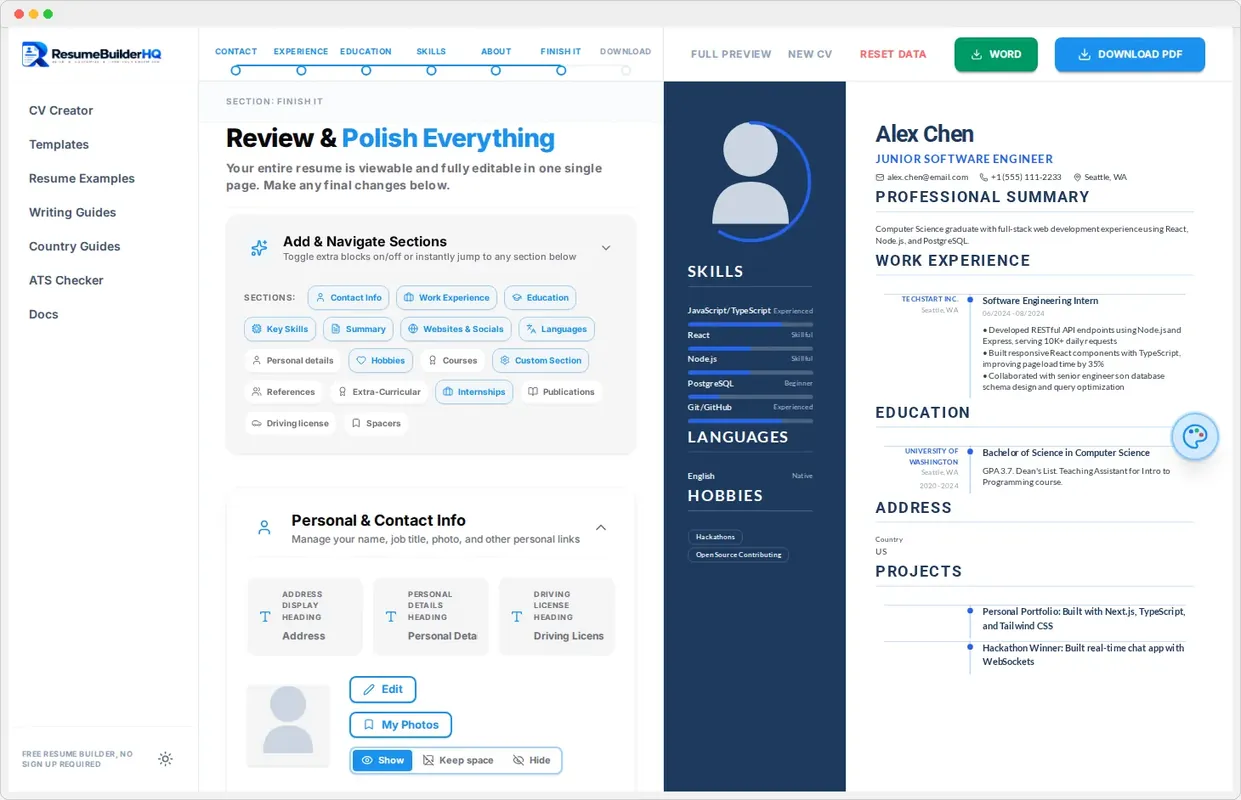
A resume is built from sections. Beyond the five core steps, Resume Builder HQ lets you add and manage a full set of optional sections so your resume fits your career exactly.
The core sections
The wizard covers the essentials: Contact, Experience, Education, Skills, and About. These five appear on every resume. The Review step then opens a toolbar with the complete list of sections.
Optional sections
You can add any of these extra sections to your resume:
- Languages - your languages with proficiency levels.
- Hobbies and interests - a personal touch when it suits the role.
- References - a references section or "available on request".
- Internships - early-career experience that does not fit Experience.
- Courses and certificates - training and credentials.
- Publications - for academic or research roles.
- Extra-curricular activities - leadership and volunteering.
- Custom section - a completely flexible section for anything else.
Add a section
Open the Review step and use the Add & Navigate Sections toolbar. Click the section you want to add. It appears in your preview and you can fill it in straight away.
Remove a section
Use the remove button next to a section in the toolbar to delete it. Content is preserved while you decide; only a full CV reset clears saved data.
Reorder sections
Drag section blocks in the preview to reorder them. Put what matters most for the job at the top: for a technical role that might be skills; for a research role, publications.
Tip
Heading styles follow your section style
Every section uses the heading style from your chosen section style, so everything stays visually consistent. See the Section Styles guide for options.