Step 7 - Download Your Resume as PDF or Word
Download your finished resume as a high-quality PDF (A4 or US Letter) or as a Word .docx file. Learn about the built-in text layer and print tips.
Last updated 2026-08-19
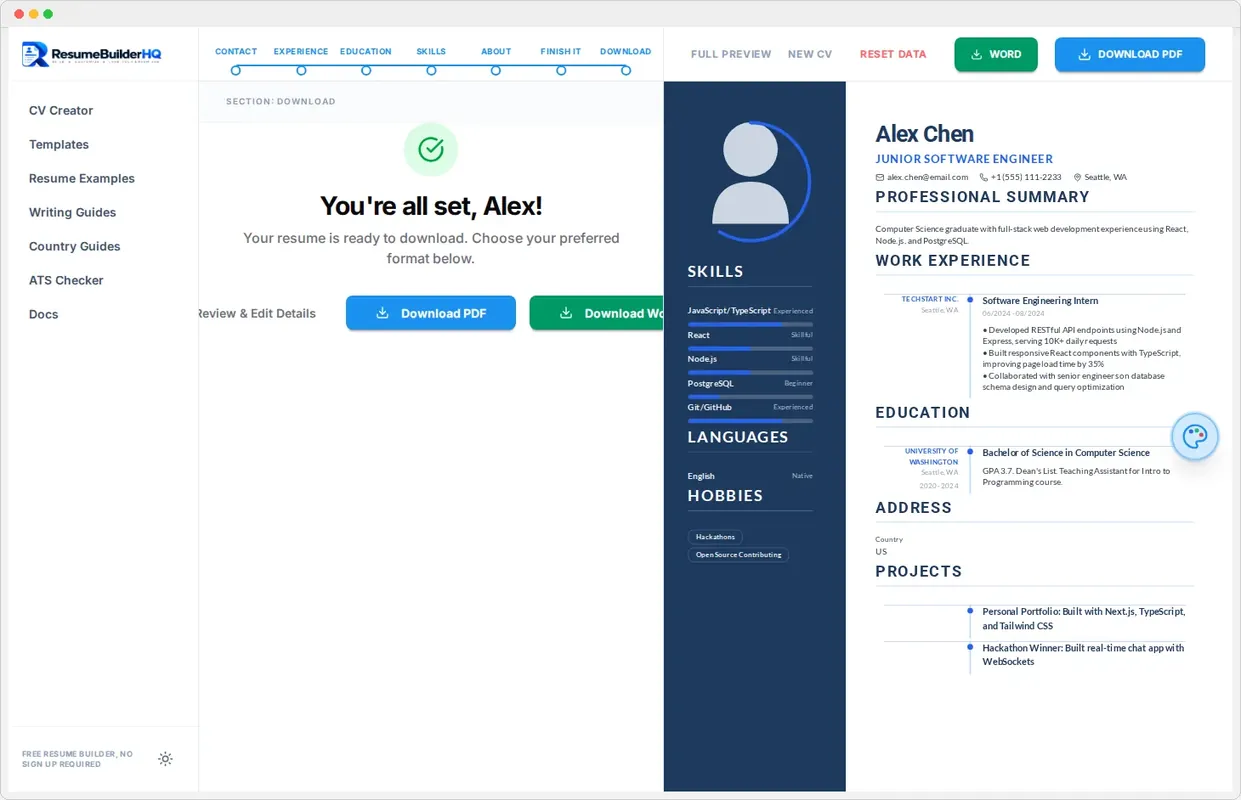
The Download step exports your finished resume. You can produce a print-ready PDF or an editable Word document, both generated entirely in your browser. No file leaves your device.
Download as PDF
Click Download PDF to create the version you send to employers. The PDF uses your template's page size, either A4 or US Letter, and keeps a clean layout that prints well and passes ATS checks.
The generated PDF includes a real text layer. That means recruiters and ATS systems can select, copy, and scan the text in your resume, not just a flat image.
Download as Word
Click Download Word to get an editable .docx file. This is useful when an application portal only accepts Word, or when you want to tweak content in Microsoft Word or Google Docs later.
Warning
The file name
Your download uses a clean file name built from your name, like Alex_Rivera_Resume.pdf. A clear file name makes it easy for recruiters to find your application in their inbox or portal.
Verify before you apply
Open the downloaded file once before sending it. Check that the layout survived the export, the text is selectable, and the page count matches what you saw in the preview.
If anything looks off, return to the builder, tweak the layout in the Layout tab, and download again.