Step 3 - Add Education, Courses & Certificates
Record your degrees, courses, and certificates in the Education step. Use the searchable degree picker to add your qualification in seconds.
Last updated 2026-08-19
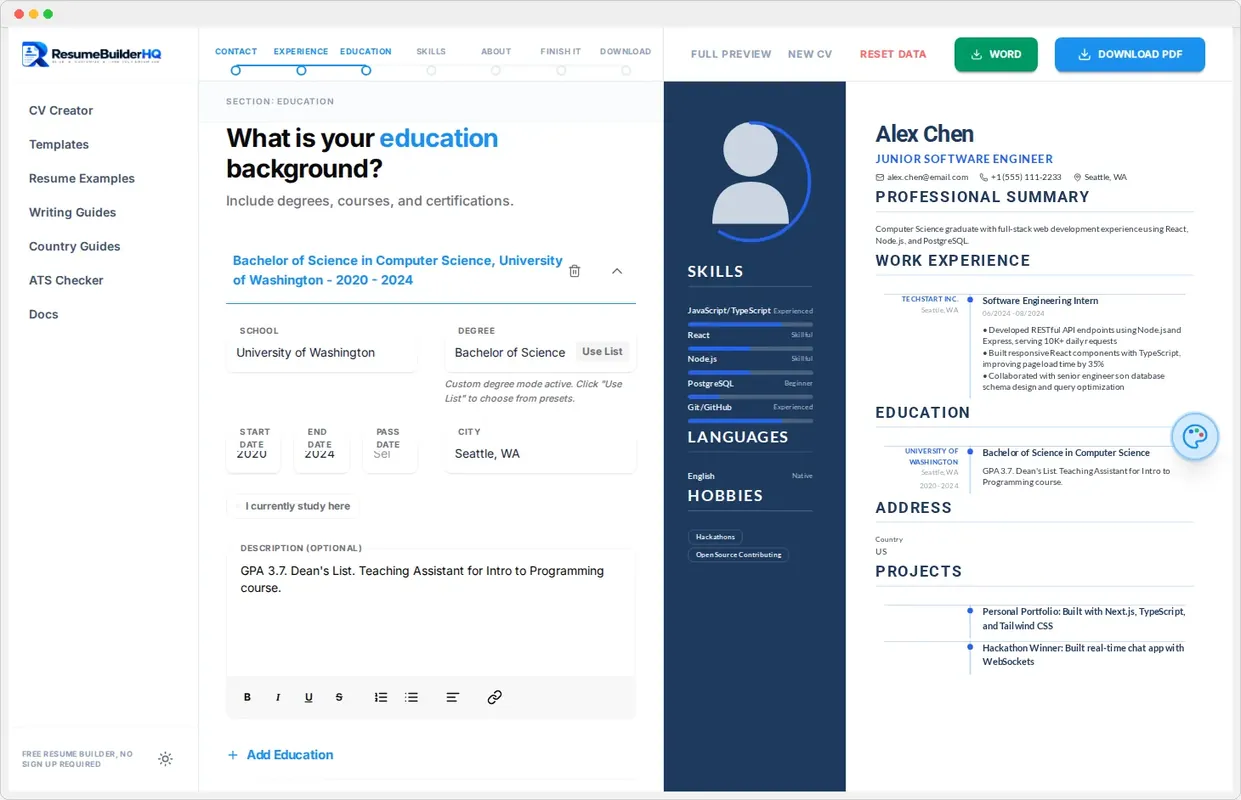
The Education step records your qualifications. This section matters most for students, recent graduates, and careers where credentials drive hiring, like healthcare, law, or education.
Add a degree
Click Add under Education to create a degree entry. The searchable degree selector helps you pick the right qualification. Type to filter the list, or choose the closest match.
Then fill in the school or university, your field of study, and the dates you attended using the month/year picker.
Coursework and certificates
Open the Courses & Certificates section to add short training and professional credentials. This is a great place for bootcamps, MOOCs, license renewals, and certifications that do not need a full degree entry.
Tip
Academic achievements
Use the description field under a degree to add details like GPA, dean's list, or a standout thesis project. Keep it brief and relevant to the job. One or two strong lines are enough.
Continue to Skills
When your education section is complete, click Continue to move to Step 4: Skills. You can edit this section later from the wizard at any time.